



An Opinionated Approach for Frontend Testing for Startups
On this page
Frontend Testing Guide
Welcome to our testing guide! This document outlines our approach to testing Next.js applications with React Query and server components. Following these practices helps us maintain a robust, reliable codebase.
Our Testing Philosophy
We believe in thorough testing that gives us confidence in our application’s behavior. Our tests should:
- Be easy to write and maintain
- Simulate real user interactions
- Test both happy paths and error scenarios
- Properly test redirects and server actions
Testing Stack
- Vitest: For running tests and mocking
- React Testing Library: For rendering components and simulating user interactions
- @testing-library/user-event: For simulating realistic user interactions
- @tanstack/react-query: For managing server state
Mocking Strategy
We use a centralized mocking approach with vi.hoisted to create mock functions that can be reused across tests:
const mocks = vi.hoisted(() => ({ toast: { success: vi.fn(), error: vi.fn(), }, actions: { submitName: vi.fn(), getMyUserInfo: vi.fn(), }, nextNavigation: { redirect: vi.fn(), }, // ... other mocks}));This approach makes our tests more readable and maintainable, as all mocks are defined in one place.
Module Mocking
We mock modules at the file level:
vi.mock('next/navigation', () => ({ redirect: mocks.nextNavigation.redirect,}));
vi.mock('./actions', () => ({ submitName: mocks.actions.submitName, getMyUserInfo: mocks.actions.getMyUserInfo,}));Testing Components
Setting Up Components for Testing
We use a helper function to set up components with the necessary providers:
function createQueryClient() { return new QueryClient({ defaultOptions: { queries: { retry: false } }, });}
async function setupPageComponent() { const queryClient = createQueryClient(); let page = await Page(); return <QueryClientProvider client={queryClient}>{page}</QueryClientProvider>;}Testing Client Components
For client components, we test user interactions and verify that the right actions are triggered:
it('should submit name', async () => { // arrange render(await setupPageComponent()); const user = userEvent.setup();
// act await user.type(screen.getByPlaceholderText('Enter your name'), 'John Doe'); await user.click(screen.getByText('Submit'));
// assert expect(mocks.toast.success).toHaveBeenCalled();});Testing Error Scenarios
We also test how our components handle errors:
it('should handle error', async () => { // arrange render(await setupPageComponent()); const user = userEvent.setup(); mocks.actions.submitName.mockRejectedValue(new Error('error'));
// act await user.type(screen.getByPlaceholderText('Enter your name'), 'error'); await user.click(screen.getByText('Submit'));
// assert expect(mocks.toast.error).toHaveBeenCalled(); expect(mocks.actions.submitName).toHaveBeenCalledWith('error');});Testing Server Actions and Redirects
Selective Unmocking
One powerful technique we use is selective unmocking, where we test the real implementation of certain modules while keeping others mocked:
it("should redirect to onboarding if user not found", async () => { // Reset mocks to use real implementation for actions vi.resetModules(); vi.doUnmock("./actions"); vi.doUnmock("./page"); vi.doMock("server-only", () => ({})); vi.doMock("@/lib/auth0", () => ({ auth0: { getAccessToken: vi.fn().mockResolvedValue({ token: "token", }), }, }));This approach allows us to:
- Test the real behavior of specific modules
- Keep control over external dependencies
- Create targeted test scenarios
Testing Redirects
For testing redirects, we mock the Next.js redirect function to simulate its behavior:
// in real nextjs, redirect throws an error to prevent further executionmocks.nextNavigation.redirect.mockImplementation(() => { throw new Error('NEXT_REDIRECT');});Then we can test that the redirect happens in the right circumstances:
await expect(async () => render(<QueryClientProvider client={getQueryClient()}>{await Page()}</QueryClientProvider>)).rejects.toThrow(/NEXT_REDIRECT/);expect(mocks.nextNavigation.redirect).toHaveBeenCalledWith('/onboard');Testing with Tanstack Query
Tanstack Query is a bit quirky. I have already told you that how you can setup
your page (whether server or client component based), and test it. But since
tanstack query is asynchronous, how do you make sure the client has finished
loading the queries? For that we use waitFor and
queryClient.isFetching() and wait until the client has finished
mutating.
-
First, We will modify our
createQueryClientfunction a bit to return to us both the page and the query client.// ...async function setupPageComponent() {const queryClient = createQueryClient();const page = await Page();return {// return the page...page: <QueryClientProvider client={queryClient}>{page}</QueryClientProvider>,queryClient, // and the query client};} -
Then, in our test we will wait until the query client has finished fetching the data.
// ... set up mock functions and imports using vi.hoisted and vi.mockit('should display api keys', async () => {// imagine this mocked server action is used by the query client inside the pagemocks.getApiKeys.mockResolvedValue({tenant: 'foobar',});// Actconst { page, queryClient } = await setupPageComponent(); // get both the page and the query clientrender(page); // render the pageawait waitFor(() => {expect(queryClient.isFetching()).toBe(0); // IMPORTANT: wait for the query client to resolve all queries});// Assert// once the query client has finished fetching, the text/expected result should be present in the DOM.expect(screen.getByText('foobar')).toBeInTheDocument();});
Best Practices
- Organize tests with describe blocks: Group related tests together
- Follow the AAA pattern: Arrange, Act, Assert
- Reset mocks between tests: Use
vi.resetAllMocks()inafterEach - Test user flows: Simulate realistic user interactions
- Test edge cases and error scenarios: Don’t just test the happy path
- Use explicit assertions: Be specific about what you’re testing
- Selectively unmock when needed: Use
vi.doUnmock()to test real implementations - Mock external dependencies: Don’t call real APIs in tests
- Test redirects properly: Simulate Next.js redirect behavior
Common Testing Patterns
Testing Server Components
Server components require special handling:
- Mock the data they fetch
- Render them with the necessary providers
- Verify they render correctly with the mocked data
Testing Client Components with Server Actions
- Mock the server actions
- Render the component
- Simulate user interactions
- Verify the right server actions are called with the right arguments
Testing Redirects
- Mock the redirect function to throw an error (like real Next.js)
- Verify the component throws when it should redirect
- Verify the redirect function was called with the right path
- frontend
- testing
- react
- nextjs
- react-query
- vitest
Author

Arunanshu Biswas
safedep.io
Share
The Latest from SafeDep blogs
Follow for the latest updates and insights on open source security & engineering

eMudhra CA Key Compromise: Response Guide for Developers
Anyone can compute eight eMudhra intermediate CA private keys from public certificates. Browsers block the compromised intermediates, but CI runners, containers, JVMs and Go binaries can still trust...

Compromised LiteLLM 1.107.0 on PyPI Installs a Credential Stealer and Backdoor
Every wheel of LiteLLM 1.107.0 on PyPI installs a credential stealer and a remote code execution backdoor. Both run each time Python starts. The code is not in the upstream GitHub source.
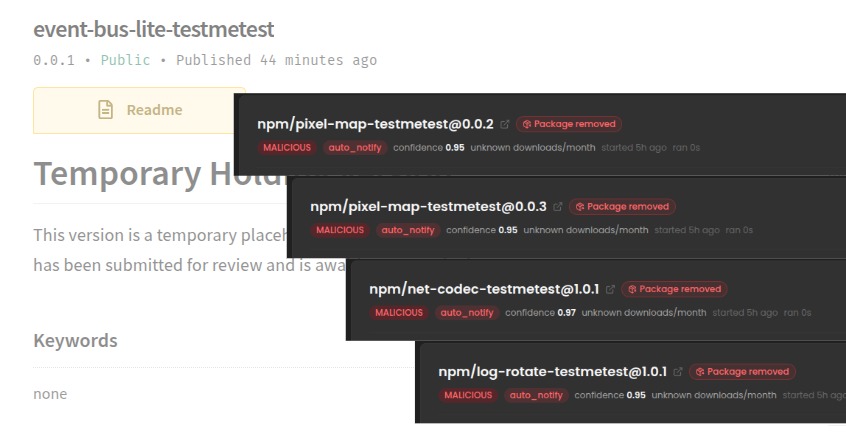
testmetest npm Packages Carry a Miasma-Family Worm
15 testmetest npm packages carry a Miasma-family worm that steals credentials, spreads to other packages and installs a wiper. Its loader, infrastructure and strings differ from Miasma, which defeats...

Forged Commits Push a preinstall Dropper into hugo-paper and mevn-cli
An attacker pushed forged commits to the default branches of hugo-paper and mevn-cli. Running npm install or bun install in either repository downloads and runs a second-stage script from...


Ship Code.
Not Malware.
Start free with open source tools on your machine. Scale to a unified platform for your organization.
