GitHub App Launched View on GitHub

Shadow AI

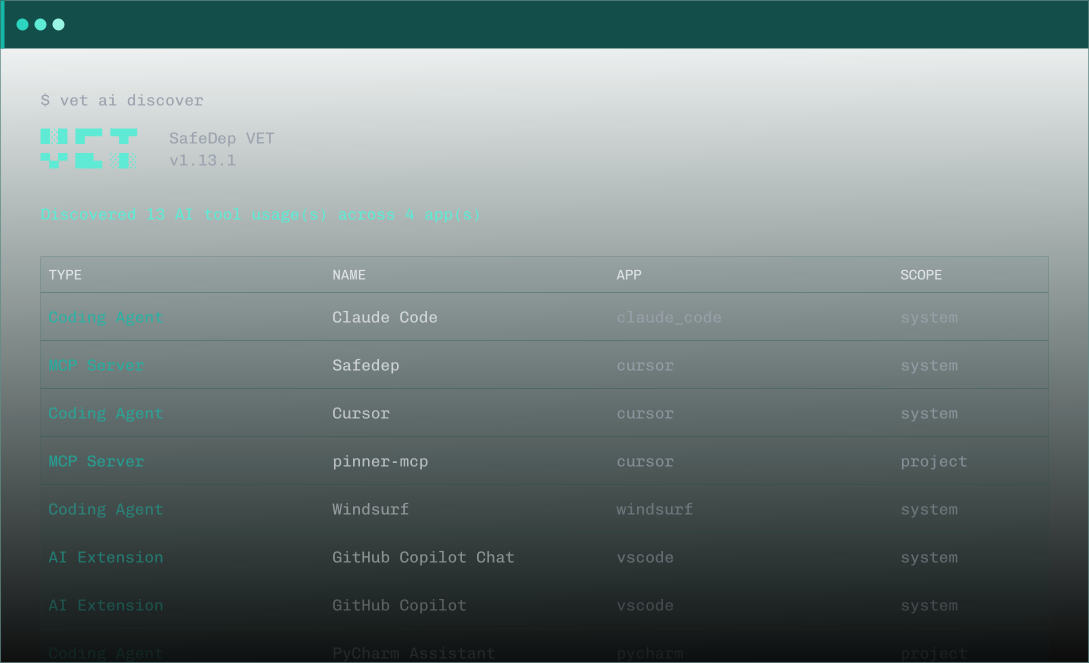
Discover every AI tool on your endpoints and every AI SDK call in your code. Complete visibility, from the CLI.

$ 
█░█ █▀▀ ▀█▀     SafeDep VET
▀▄▀ ██▄ ░█░     v1.13.1

Discovered 13 AI tool usage(s) across 4 app(s)

┌────────────────┬─────────────────────┬──────────────┬─────────┐
 TYPE            NAME                 APP           SCOPE   
├────────────────┼─────────────────────┼──────────────┼─────────┤
 Coding Agent    Claude Code          claude_code   system  
 MCP Server      safedep              cursor        system  
 MCP Server      pinner-mcp           cursor        project 
 Coding Agent    Cursor               cursor        system  
 Coding Agent    Windsurf             windsurf      system  
 AI Extension    GitHub Copilot Chat  vscode        system  
 AI Extension    GitHub Copilot       vscode        system  
└────────────────┴─────────────────────┴──────────────┴─────────┘
The Blind Spot

You Can't Govern What You Can't See

AI is spreading through engineering in two ways: tools on developer machines and SDK calls in application code. Security teams have no inventory for either. No audit trail. No policy enforcement.

Shadow AI

Shadow AI Is the New Shadow IT

80% of workers, including 90% of security professionals, use unapproved AI tools at work. IBM reports shadow AI incidents account for 20% of all breaches, at $4.63M per incident.

80% using unapproved tools. 20% of breaches.

MCP Risk

MCP Servers: 92% Exploit Probability

Deploying just 10 MCP plugins creates a 92% probability of exploitation. 53% of MCP servers rely on insecure static secrets. Researchers demonstrated MCP tool poisoning that silently exfiltrated an entire chat history.

10 plugins. 92% exploit probability.

Sprawl

Agent Sprawl Is Accelerating

40% of enterprise apps will integrate AI agents by end of 2026, up from less than 5% in 2025. 63% of executives cite platform sprawl as a growing concern. Microsoft launched Agent 365 because even they couldn't track what was running.

<5% → 40% in one year.

How It Works

Three Steps to Endpoint Visibility

Follow along with the full walkthrough in the documentation.

Step 01

Install VET

One command. No sign-up. No API keys required for local discovery.

brew install safedep/tap/vet

Step 02

Run Discovery

VET scans for AI coding agents, MCP server configs, CLI tools, IDE extensions, and project-level AI configurations. System-wide and per-project.

vet ai discover

Step 03

Export the Inventory

Get structured output for your security team. Console table for quick review. JSON for automation and compliance workflows.

vet ai discover --report-json output.json

Need deeper visibility? VET also scans source code for AI SDK usage. See AI Bill of Materials →

Get Started

Install in Seconds

VET is a single binary. No runtime dependencies. No sign-up required for local discovery.

  • Discovers AI agents, MCP servers, CLI tools, and IDE extensions
  • Scans system-level and project-level configurations
  • Outputs console table or structured JSON
  • Open source, inspect every line of detection logic
  • Scans source code for AI/ML SDK usage across Go, Python, and JS/TS
  • Produces an AI Bill of Materials in CycloneDX SBOM format
Terminal
# Install VET
brew install safedep/tap/vet

# Discover AI tools on endpoints
vet ai discover

# Scan code for AI SDK usage
vet code scan --db code.db --app ./src
vet code query --db code.db --tag ai

Not on macOS? Download pre-built binaries from GitHub Releases. For detailed setup and usage, see documentation.

ENDPOINT DISCOVERY

From Zero Visibility to Full Inventory

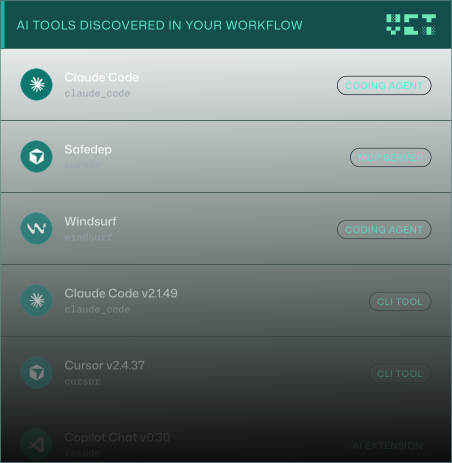
Run one command. See every AI tool across your development environment: agents, MCP servers, extensions, project configs. Console output for quick review, JSON for automation.

Install vet
$ vet ai discover

█░█ █▀▀ ▀█▀     SafeDep VET
▀▄▀ ██▄ ░█░     v1.13.1

Discovered 13 AI tool usage(s) across 4 app(s)

┌────────────────┬─────────────────────┬──────────────┬─────────┐
 TYPE            NAME                 APP           SCOPE   
├────────────────┼─────────────────────┼──────────────┼─────────┤
 Coding Agent    Claude Code          claude_code   system  
 Project Config  Claude Code          claude_code   project 
 MCP Server      pinner-mcp           cursor        system  
 MCP Server      safedep              cursor        system  
 Coding Agent    Cursor               cursor        system  
 MCP Server      pinner-mcp           cursor        project 
 MCP Server      vet-mcp              cursor        project 
 Project Config  Cursor               cursor        project 
 Coding Agent    Windsurf             windsurf      system  
 CLI Tool        Claude Code v2.1.49  claude_code   system  
 CLI Tool        Cursor v2.4.37       cursor        system  
 AI Extension    Copilot Chat v0.30   vscode        system  
 AI Extension    Copilot v1.372.0     vscode        system  
└────────────────┴─────────────────────┴──────────────┴─────────┘
CODE ANALYSIS

AI Bill of Materials

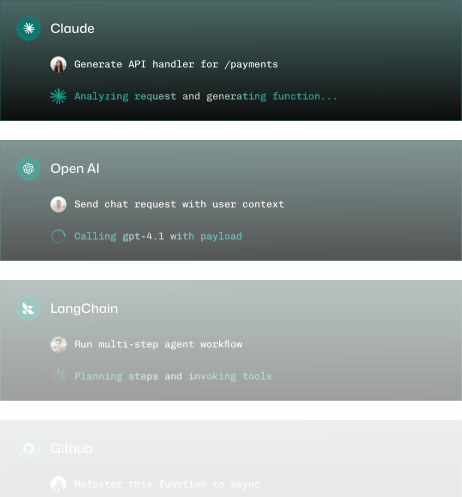
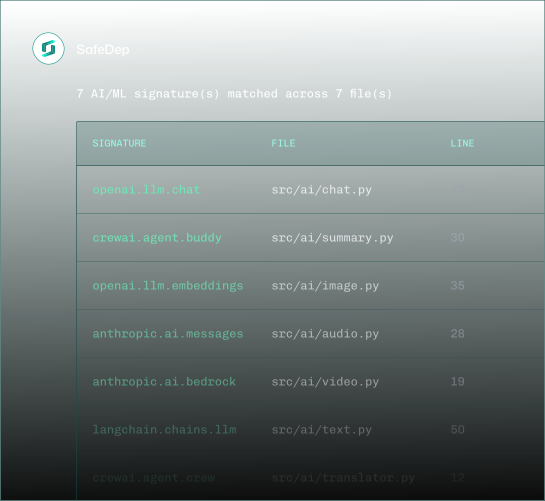
Knowing which AI tools are installed is half the picture. VET scans your source code to detect every AI and ML SDK call — OpenAI, Anthropic, LangChain, and more. Get file-level, line-level evidence of AI usage across your codebase, output as a CycloneDX SBOM.

Install vet
$ vet code query --db code.db --tag ai

┌──────────────────────────────────┬──────────────────────────┬──────┐
 SIGNATURE                         FILE                      LINE 
├──────────────────────────────────┼──────────────────────────┼──────┤
 openai.llm.chat                   src/ai/chat.py            42   
 openai.llm.embeddings             src/ai/embeddings.py      18   
 anthropic.ai.messages             src/agents/claude.py      31   
 anthropic.ai.bedrock              src/agents/bedrock.py     55   
 langchain.chains.llm              src/pipeline/chain.py     23   
 langchain.vectorstores.chroma     src/pipeline/vectors.py   67   
 crewai.agent.crew                 src/agents/crew.py        12   
└──────────────────────────────────┴──────────────────────────┴──────┘

7 AI/ML signature(s) matched across 7 file(s)

Structured output: Run vet scan -D ./src --code code.db --report-cdx sbom.json to generate a CycloneDX SBOM enriched with AI usage evidence — file paths, line numbers, and matched SDK patterns.

How It Works

Step 01

Scan Your Code

VET parses source files, builds call graphs, and matches function calls against embedded AI/ML signature patterns.

vet code scan --db code.db --app ./src

Step 02

Query Results

Filter by tag, language, vendor, or file path. See exactly which AI SDKs are called and where.

vet code query --db code.db --tag ai

Step 03

Generate the xBOM

Enrich your dependency scan with code analysis evidence. Output a CycloneDX SBOM with file-level AI usage proof.

vet scan -D ./src --code code.db --report-cdx sbom.json
What We Detect

Every AI Tool and SDK Call. Discovered.

VET detects AI coding agents, MCP servers, CLI tools, IDE extensions, and project-level configurations on endpoints — and AI/ML SDK calls in source code across Go, Python, and JavaScript/TypeScript.

Coding Agents
  • Claude Code
  • Cursor
  • Windsurf
MCP Servers
  • Server name
  • Transport type
  • URL / command
IDE Extensions
  • GitHub Copilot
  • Copilot Chat
  • VS Code, JetBrains
CLI Tools
  • Claude Code CLI
  • Cursor CLI
  • Version detection
Project Configs
  • CLAUDE.md
  • .cursor/rules
  • MCP configs
Code Analysis
  • Go
  • Python
  • JavaScript / TypeScript
Background
SafeDep Logo

Eliminate

Shadow AI

Install VET. Discover every AI tool on your endpoints. Scan your code for every AI SDK call. Full inventory, open source, runs locally.