



On this page
Your coding assistant sits closer to your code than most of your teammates do. It reads the repo, picks the library, writes the import, and you accept it, because stopping to verify every suggestion would defeat the reason you installed the thing. That trust is what makes the assistant useful. It is also the opening, because whoever gets to decide what the assistant suggests gets to decide what you install.
Someone has now done exactly that. In September 2026, security researchers reported an attack that began inside a live AI coding assistant session at a software company. The assistant recommended a package, a developer installed it, and an infostealer hidden in that package took their GitHub tokens. The Shai-Hulud worm used those tokens to copy itself across roughly 100 internal repositories and walk off with source code and repository secrets.
How the attack went
- The attacker got control of an active AI coding assistant session belonging to a developer.
- Through that session, the assistant recommended an outside package that looked normal.
- The developer installed it. The package came from PyPI and carried a hidden infostealer.
- The stealer collected source code, repository secrets, and high privilege GitHub OAuth tokens.
- With those tokens, the attacker released Shai-Hulud, which copied itself into about 100 internal repositories on its own.
- A poisoned package then appeared inside the company’s own internal namespace. Another employee pulled it and got infected too.
Steps two onward are the familiar Shai-Hulud story that npm has been living with all year, which we covered in npm Supply Chain Attack Exposes Private Repositories, AWS Credentials and More. Step one is the new part, and the same research shows three working routes to it.
How attackers get control of an assistant
The AI Risk and Resilience Report 2026, covered by iTWire and SecurityBrief Asia, documents three routes that all end with the attacker deciding what your assistant does.
Prompt injection. A group called TeamPCP planted instructions where an assistant would read them and follow them as if you had typed them. They also targeted the language model based security scanners intended to detect such attempts. Those scanners then approved the same code the developer accepted.
Tampered hooks. In another case, attackers modified the command line hooks an assistant runs on startup. Opening the project ran their code. Nobody had to accept a suggestion or approve anything.
Weaponized agent skills. In February, attackers shipped OpenClaw agent skills with backdoors, droppers, and infostealers packed inside. A skill is code someone hands your agent, and most people install one the way they install a browser extension, which means without reading it.
The same report carries a failure with no attacker in it. An autonomous agent hit a corrupted value and fell into a reasoning loop. In one hour it fired off more than 15,000 API calls, ran up around $50,000 in cloud bills, and locked a database hard enough to interrupt the business.
Why the suggestion box is a good target
Think about how you use an assistant. You are halfway through a task, the assistant offers a library you have never heard of, and you accept it because accepting things is the whole point of using the tool. The package goes in without a second look, and often without a review from anyone else on the team.
Most teams scan their lockfiles and their pull requests, and almost nobody scans the thing that decided what went into the lockfile in the first place. The advice is to check AI recommended dependencies against checksums and an approved list before they land. Keep API keys and OAuth tokens away from editor extensions. Pull dependencies through an internal proxy rather than straight from the public registry.
The worm is now hunting AI tool credentials
Shai-Hulud keeps growing. A newer variant searches 469 locations for credentials, up from 189. The added spots include CI systems, cloud configuration, and the settings files that AI development tools write to disk. Those files get created by an installer and then forgotten, and teams keep finding access keys sitting in them in plain text.
What to do about it
- Treat a package your assistant suggests like a pull request from a stranger. Look at it before it gets installed.
- Scan every dependency that lands in your lockfile, and do it in CI so a laptop is not the only gate. Verify hashes against the registry rather than trusting the name.
- Get long lived tokens off developer laptops. Short lived credentials and OIDC based publishing limit what a stealer can walk away with.
- Grep your AI tool config directories for secrets. If Shai-Hulud has a list of 469 places to look, you should check the same ones first.
- Review agent skills, extensions, and MCP servers with the same care as a dependency. They run with your permissions.
References
- The Hacker News: Attacker Hijacks AI Coding Assistant Session, Spreads Shai-Hulud Across About 100 Repositories
- The Hacker News: Shai-Hulud’s Reach Just Grew to 469 Credential Locations
- AI Risk and Resilience Report 2026 (Google Cloud)
- SecurityBrief Asia: researchers warn of AI agents fuelling new attack risks
- iTWire: Attackers turn AI coding tools and agent skills into supply chain entry points
- Brinztech breach alert on the supply chain disclosure
- ai-coding-agents
- supply-chain
- shai-hulud
- pypi
- npm
Author

Vignesh Naikoti
safedep.io
Share
The Latest from SafeDep blogs
Follow for the latest updates and insights on open source security & engineering
eMudhra CA Key Compromise: Response Guide for Developers
Anyone can compute eight eMudhra intermediate CA private keys from public certificates. Browsers block the compromised intermediates, but CI runners, containers, JVMs and Go binaries can still trust...

Compromised LiteLLM 1.107.0 on PyPI Installs a Credential Stealer and Backdoor
Every wheel of LiteLLM 1.107.0 on PyPI installs a credential stealer and a remote code execution backdoor. Both run each time Python starts. The code is not in the upstream GitHub source.
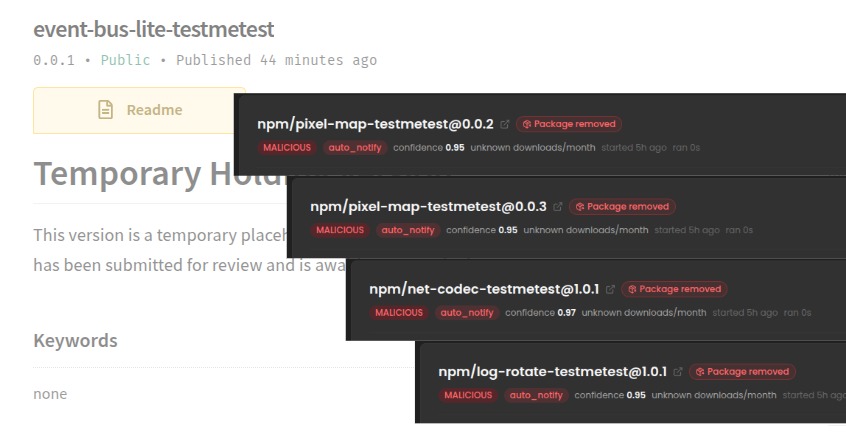
testmetest npm Packages Carry a Miasma-Family Worm
15 testmetest npm packages carry a Miasma-family worm that steals credentials, spreads to other packages and installs a wiper. Its loader, infrastructure and strings differ from Miasma, which defeats...

Forged Commits Push a preinstall Dropper into hugo-paper and mevn-cli
An attacker pushed forged commits to the default branches of hugo-paper and mevn-cli. Running npm install or bun install in either repository downloads and runs a second-stage script from...


Ship Code.
Not Malware.
Start free with open source tools on your machine. Scale to a unified platform for your organization.
